Git guides love command lists. Forty commands, three diagrams of the staging area, and you still lose a day’s work in your first week. After years of using Git across vision pipelines, embedded projects and thesis writing, I think the commands matter far less than five habits. Here they are, in the order they have saved me.
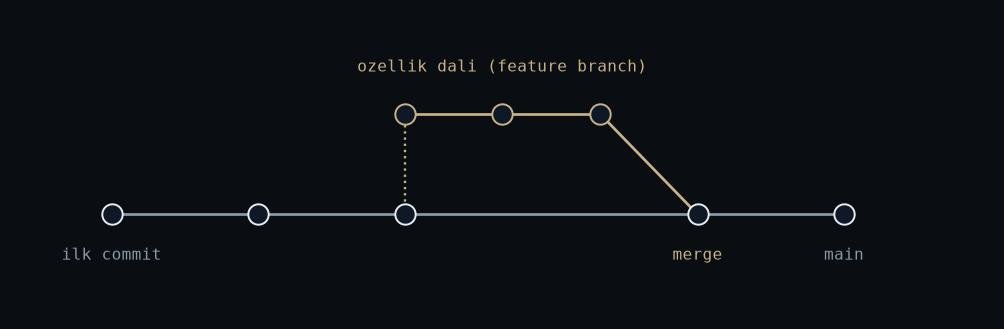
Figure: rendered by me.
1. Write down the why, not the what
git log -p already shows what changed. The diff is right there. The message
exists to record why. “Fix tracker” tells future me nothing. “Clamp boxes to
frame edges before association, negative widths were crashing the filter
update” tells me everything, including whether I can safely revert it.
I wrote in
the dataset post that you
should build things as if someone will audit them. With commits, that someone
is you, six weeks later, reading git log at midnight.
2. One branch per experiment
On the SUAS vision work every training experiment got its own branch: a tiling change, an augmentation multiplier, a config tweak. Not because the code was big. Because when mAP moved, I wanted exactly one candidate explanation for why.
Merge the winners, delete the losers. A branch costs nothing. An improvement you cannot trace back to a change costs a lot.
3. Keep the data out, keep the recipe in
Our training set is around 15,000 images. None of them belong in Git. What belongs in Git is the script that builds the dataset from raw frames, and the config that pins every parameter. The repo stores the recipe. Storage stores the ingredients.
Set up .gitignore in the first commit, not the tenth: build directories,
weights, exported engines, dataset folders. GitHub refuses large files anyway.
Git LFS is a patch for the cases you could not design away, not a default.
4. Read your own diff before you push
git diff --staged, every time, no exceptions. It takes thirty seconds and it
catches the debug print, the hardcoded path, the commented-out block you meant
to delete.
On GitHub I open a pull request even when I am the only person on the repo. Reading your own changes in a different interface flips a switch in your head: you stop reading what you meant and start reading what you actually wrote.
5. Tag what leaves your desk
When a build goes onto a Jetson in the field tracking work, or a weights file becomes the version that actually flew, that exact commit gets a tag. Weeks later a bug report or a strange field result arrives, and the tag answers the only question that matters: which code produced this behaviour?
Without the tag you are diffing memories. git tag -a costs one line.
Reconstructing an untagged release costs an afternoon, and you will pay it at
the worst possible time.
None of this is advanced. That is the point. The value of Git is not in the exotic commands. It is in being able to trust your own history on the day something goes wrong.