I get this question from both sides of my work. On one side we build defence training simulations on Meta Quest hardware, in Unity: defence XR. On the other side I build detection pipelines that run on NVIDIA Jetson boards. So when someone asks “can you do computer vision on a VR headset”, I have opinions.
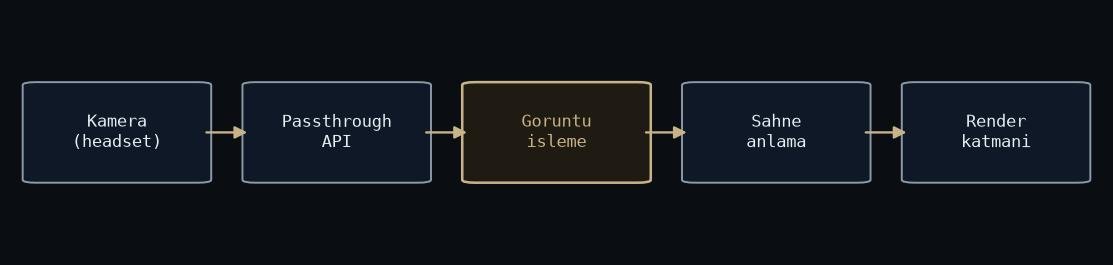
Figure: rendered by me.
Short answer: yes. The longer answer is that the headset is already doing more computer vision than most robots, and the interesting question is how much of it your code gets to use.
The headset is already a vision machine
A standalone headset tracks its own position with inside-out tracking: several cameras on the shell, a SLAM pipeline fusing them with the IMU, running continuously. On top of that it tracks your hands without controllers, estimates your room geometry, and reconstructs surfaces you can collide with. All of that is computer vision. All of it runs on a mobile chipset, on battery, while the device also renders two eyes’ worth of frames.
So the platform settles the question by existing. The vision budget is real. The problem is who gets to spend it.
For years, your app could not see the cameras
The catch was privacy. Passthrough on Quest was rendered as a compositor layer: your app could draw on top of the camera feed, but it could never read a pixel of it. Every “I will run my detector on what the user sees” idea died right there. This restriction shaped a lot of what I wrote in Developing for Oculus/Meta Quest.
That changed in 2025, when Meta shipped the Passthrough Camera API for Quest 3 and Quest 3S. An app can now request camera access with a permission prompt, the same way a phone app does, and get real frames to process. The question moved from “is it allowed” to “what can you afford”.
What you can afford
Here is the honest comparison. On a Jetson, I hand the entire board to the model. We plan the whole power budget around inference, the way we did for the SUAS aerial detection system. On a headset, your model gets leftovers. Rendering runs at 72 to 120 Hz and it does not negotiate. Tracking runs constantly. The SoC sits in a sealed plastic box strapped to a person’s face, so thermal headroom is thin.
The consequences are the same ones I know from embedded work, just tighter: small models, low input resolutions, quantize everything, and do not run inference every frame. The mindset from TensorRT and FP16 deployment transfers directly, even though the toolchain is different.
How I would actually ship it
Three patterns, in the order I would try them.
First, use what the platform gives you for free. Hand tracking, plane detection, scene mesh. Meta already paid the compute bill for these, and they are better than what you will train this quarter.
Second, run a small detector on device at a few Hz, and bridge the gaps with a lightweight tracker instead of re-detecting every frame. Detection is expensive, association is cheap. Same trick we use everywhere else.
Third, if the app tolerates latency, stream frames to a nearby PC and run the heavy model there. It works, but now you own a wireless link and everything that goes wrong on it.
And one direction people forget: sometimes the interesting signal is the user, not the world. My master’s thesis measured stress in VR through a biocybernetic loop. No passthrough needed. The headset is full of sensors pointed inward, and almost nobody uses them.
So: yes, you can do computer vision on a VR headset. Just budget like it is an embedded board that also happens to render a world.