We use the three letters interchangeably in meetings, and there it mostly does not matter. It starts mattering the moment you open Unity. VR, AR and XR are not three flavours of the same product. They decide who renders the world, what your frame budget is and what failure looks like. I build training simulations for defence on Quest headsets, so here is the sorting I actually work with.
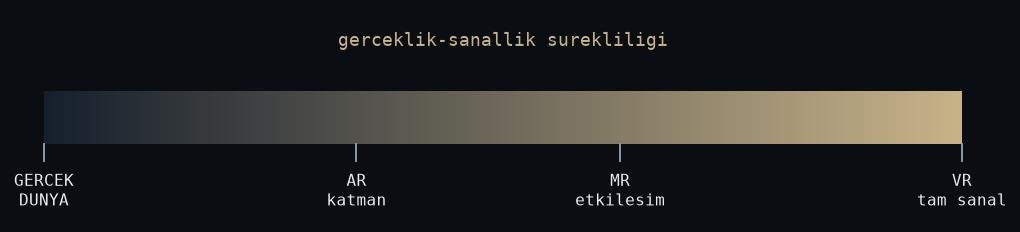
Figure: rendered by me.
VR: you own every pixel
VR replaces the world. The headset shows nothing except what you render, so you inherit the whole job: geometry, lighting, sound, physics, and the user’s sense of balance. That last one is the important part. Drop frames in a desktop game and the player is annoyed. Drop frames in VR and the player feels ill. The failure mode is physiological, not cosmetic.
In the engine this means everything renders twice, once per eye, and frame rate is a contract, not a target. Draw calls hurt double. Single-pass instanced rendering is not optional.
The payoff is control. In our defence training simulations we put a trainee inside a scenario that would be expensive, dangerous or impossible to stage physically, and reset it in seconds. My master’s thesis sits at the far end of that idea: measuring stress in VR through a biocybernetic loop, where the scenario reads physiological signals and adapts to them. You can only close that loop because in VR you control every stimulus the user receives.
AR: you rent the world
AR draws on top of reality, and people assume that makes it the easy sibling: less to render. In practice the difficulty does not shrink, it moves. You do not control the lighting. You do not control the background. Your virtual content has to stay anchored to real geometry, so tracking and registration become the core problem. In VR, two centimetres of drift is invisible. In AR, the virtual cup slides off the real table and everyone sees it at once.
So when I estimate AR work, I estimate perception work: plane detection, anchors, light estimation, occlusion. Rendering is the small part. Whether you can also run your own computer vision on these devices is a separate question.
XR: an umbrella, not a spec
XR is the umbrella over VR, AR and everything between, including passthrough mixed reality, where the headset streams its cameras into the scene. It is a fine word for a slide and a useless word for a requirements document. When someone asks me for “an XR app”, my first question is: does the user need to see the real world to do the task? That single answer picks the hardware, the interaction model and half the architecture.
Passthrough has blurred the old boundary. The same Quest is a VR device in one scene and an MR device in the next. The letters are turning into modes, not devices. The constraints still apply per mode.
Pick by the task, not the demo
The rule I use: put the task where it lives. If the task needs an environment you cannot build safely or cheaply, a firefight, a burning building, that is VR. If the task is anchored to physical objects the user has to touch, that is AR. If the honest justification is “we saw a great demo”, stop and find the task first.
Once the letter is chosen, the platform details take over. For Quest specifically those lessons are their own list, and I collected them in a separate post. Letters are cheap. Frame budgets are not.
References
- Meta Horizon developer documentation: https://developers.meta.com/horizon/
- Extended reality, Wikipedia: https://en.wikipedia.org/wiki/Extended_reality
- Virtual reality, Wikipedia: https://en.wikipedia.org/wiki/Virtual_reality
- Augmented reality, Wikipedia: https://en.wikipedia.org/wiki/Augmented_reality